Increment your VM storage size in VBox
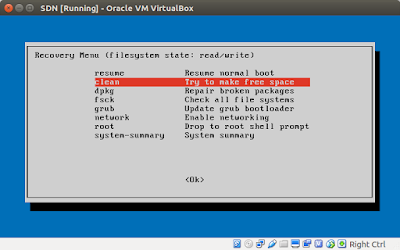
The reason of this tutorial is because I was playing with a Virtual Machine and I overfill the hardisk space. To resize the storage, first you need de-attach the hardisk from your VM and close VBOX. Later, you need convert your .vmdk to a .vdi file with the following command: vboxmanage clonehd ./machine.vmdk clone.vdi --format vdi VBoxManage: error: Cannot register the hard disk 'machine.vmdk' {4e55fd9e-f496-4cbf-9610-ad2f8c6b8634} because a hard disk 'machine.vmdk' with UUID {4e55fd9e-f496-4cbf-9610-ad2f8c6b8634} already exists VBoxManage: error: Details: code NS_ERROR_INVALID_ARG (0x80070057), component VirtualBoxWrap, interface IVirtualBox, callee nsISupports VBoxManage: error: Context: "OpenMedium(Bstr(pszFilenameOrUuid).raw(), enmDevType, enmAccessMode, fForceNewUuidOnOpen, pMedium.asOutParam())" at line 178 of file VBoxManageDisk.cpp If you get this error, you must change the UUID from your VM with the following command: vboxmanage internal...