Posts

Showing posts with the label jabref

IEEE journals with bibtex compatibility

If you want manage your bibliography with a .bib instead of bibitem, first you can do it with JabRef (see How to run JabRef on Ubuntu 15.10 ) A typical bibitem example is as follows: \begin{thebibliography}{1} \bibitem{IEEEhowto:kopka} H.~Kopka and P.~W. Daly, \emph{A Guide to \LaTeX}, 3rd~ed.\hskip 1em plus 0.5em minus 0.4em\relax Harlow, England: Addison-Wesley, 1999. \end{thebibliography} You need to replace it to: \bibliography{papers.bib}{} \bibliographystyle{IEEEtran} Where papers.bib is the file where you have all information about your bibliography. Now, compile it with TeXstudio (see  How to install TeXstudio 2.10.6 on Ubuntu 15.10 ) I couldn't open style file IEEEtran.bst To solve this we have 2 solutions Download IEEEtran.bst from CTAN with wget  http://tug.ctan.org/macros/latex/contrib/IEEEtran/bibtex/IEEEtran.bst Or install it with  sudo apt-get install  texlive-publishers
How to run JabRef on Ubuntu 15.10

Image
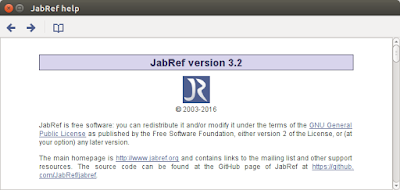
When you install JabRef 2.10 on Ubuntu with apt-get install jabref , after that if you run it, jabref never load. If you go to the CLI, you can see this as follows: log4j:WARN No appenders could be found for logger (org.java.plugin.ObjectFactory). log4j:WARN Please initialize the log4j system properly. log4j:WARN See http://logging.apache.org/log4j/1.2/faq.html#noconfig for more info. Found 2 plugin(s):   - net.sf.jabref.export.misq (jar:file:/usr/share/jabref/JabRef-2.10.jar!/plugins/net.sf.jabref.export.misq/plugin.xml)   - net.sf.jabref.core (jar:file:/usr/share/jabref/JabRef-2.10.jar!/plugins/net.sf.jabref.core/plugin.xml) The problem is associated with java version. Probably, you have a java version above 6 (oracle java 7 or 8). One solution is install a lower version like version 6. The other solution is download the lastest version compatible with your java version. wget  http://tenet.dl.sourceforge.net/project/jabref/v3.2/JabRef%20Version%203.2.tar.g...